Preview your idea
Try an idea
Select to prefill the studioAI Pet Generator
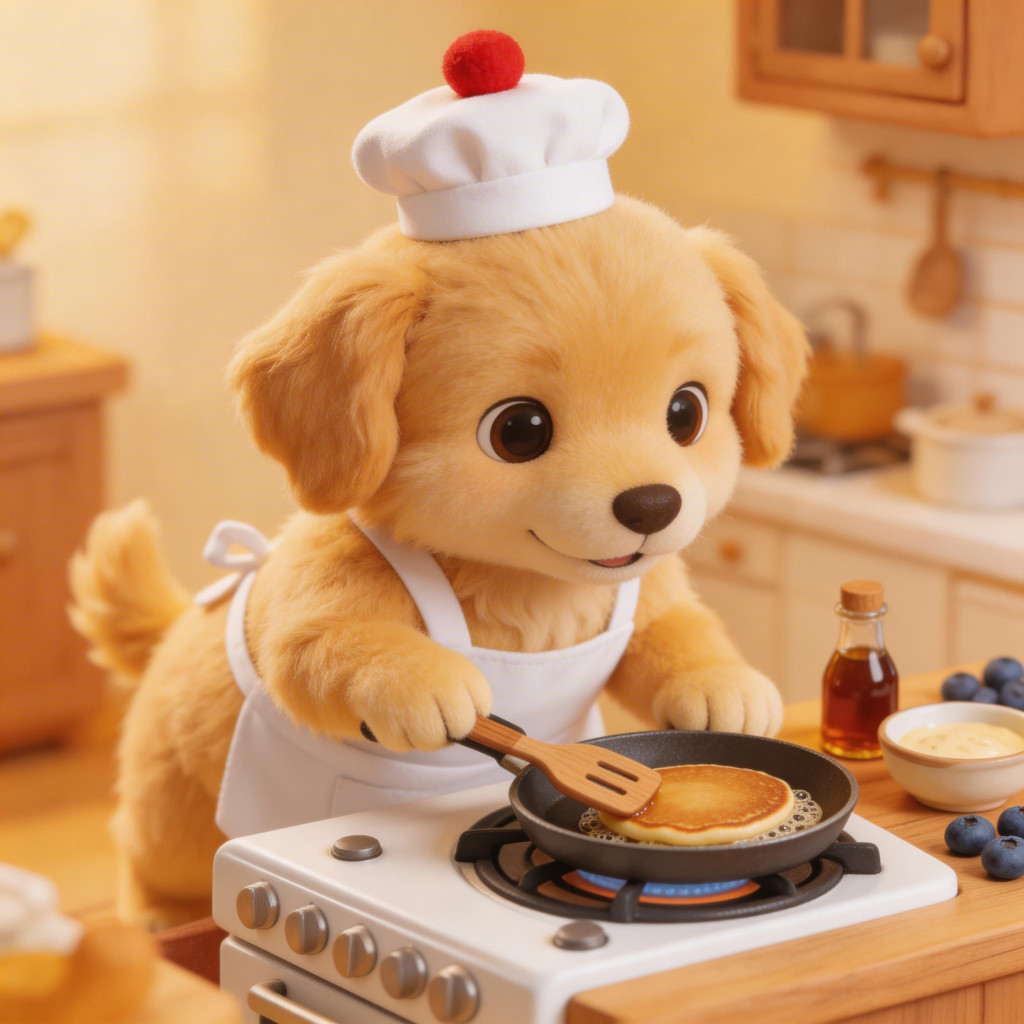
The Pet.Video AI pet generator creates pictures of pets from a sentence or from a photo. Type "a fluffy orange kitten in a raincoat" and the AI pet generator draws it. Upload a photo of your own dog and the AI pet generator puts that exact dog into a royal portrait, a superhero costume or a cartoon avatar.
When you like a picture, you can turn it into a video in one more step. That is the difference between Pet.Video and a plain image tool: the AI pet generator is connected to a full pet video studio, so every pet you create can move, dance and talk.
How to use the AI pet generator
- STEP 1
Describe a pet or upload a photo
Write what you want to see in the box above, or open the photo version of the AI pet generator (Image to image) and upload a picture of your own pet so it keeps its look.
- STEP 2
Generate and pick your favorite
The AI pet generator returns a finished image in seconds. Adjust the wording and generate again until it looks right.
- STEP 3
Download or animate it
Save the image, or send it to Image to video and bring the pet to life in a short 9:16 clip.
Two ways to use an AI pet generator
Most people come to an AI pet generator with one of two goals, and Pet.Video supports both.
The first goal is to invent a pet. Maybe you want a picture of a dog breed you are thinking of adopting, a fantasy creature for a story, or a cute pet for a logo or a greeting card. In text mode, the AI pet generator creates a brand-new animal from your description.
The second goal is to show your own pet in a new way. In photo mode, which lives on the Image to image page, you upload a real picture and describe the change: a new outfit, a new background, a new art style. The AI pet generator uses your photo as the reference, so the result still looks like your pet rather than a random animal of the same breed.
What you can create with the AI pet generator
Here are the most popular ideas people make with the AI pet generator:
- Royal and Renaissance portraits: your cat as a queen, your dog as a general in an oil painting.
- Cartoon and 3D avatars for profile pictures, stickers and gaming accounts.
- Costumes: superhero capes, chef hats, astronaut suits, holiday sweaters.
- Dream pets: a breed you love, a mix of two breeds or a fantasy animal.
- Greeting cards and invitations starring your pet for birthdays and holidays.
- Memorial images that place a past pet in a peaceful, favorite place.
Writing a good prompt for the AI pet generator
Short, specific prompts give the best results. Name the animal, the look and the setting, in that order. For example: "A corgi puppy wearing a tiny yellow raincoat, sitting on a wet city street, soft evening light, photo style." If you want an illustration, say so: "cartoon style", "watercolor" or "3D animated style".
In photo mode, describe only the change you want and keep the rest. "Put my dog in a red superhero cape on a rooftop" works better than a long description of the dog itself, because the AI pet generator already sees your dog in the photo.
From AI pet generator to AI pet video
A still picture is only the start. Every image from the AI pet generator can become a video: open Image to video, choose the picture and describe the motion, or pick one of more than eighty video effect templates. Your royal cat portrait can blink and turn its head, and your superhero dog can take off from the rooftop.
This works especially well for invented pets. Create the character once with the AI pet generator, then reuse the same image across several videos to build a recurring character for TikTok or Reels.
Who uses the AI pet generator?
Pet owners are the biggest group, but the AI pet generator is popular with several kinds of creators.
- Pet owners who want a portrait, an avatar or a funny costume picture of their own dog or cat.
- Future owners comparing breeds: the AI pet generator shows what a puppy or kitten of a breed might look like.
- TikTok and Instagram creators who build a recurring pet character and animate it in every post.
- Small businesses such as groomers, pet shops and cafes that need fresh pet images for menus and ads.
- Writers and teachers who need a friendly animal illustration for a story or a lesson.
AI pet generator or a general image tool?
General image tools can draw animals, but they are tuned for every subject at once. The Pet.Video AI pet generator is tuned for pets: its style presets, examples and defaults are chosen for fur, whiskers and expressive eyes, and every image can go straight into a pet video template. If your goal is a pet that moves, starting in an AI pet generator built for video saves you a round of exporting and re-uploading.
How much does the AI pet generator cost?
Each image costs a flat 5 credits, whatever the size or style. New accounts receive free sign-up credits, which cover several images, so you can try the AI pet generator without paying. Credit packs and monthly plans add more credits and also unlock longer, sharper pet videos. You always see the cost before you generate.
Tips for better AI pet generator results
A few habits make the AI pet generator far more reliable:
- Use a bright, sharp photo in photo mode, with your pet facing the camera.
- Change one thing at a time: outfit first, then background, then style.
- Avoid asking for a different fur color if you want the result to look like your pet.
- Keep people out of reference photos; images with a human face may be rejected.
- Pick the vertical 9:16 format if you plan to animate the image for social media.
AI pet generator FAQ
What is an AI pet generator?
An AI pet generator is a tool that creates pet pictures from a text description or from a photo of a real pet. Pet.Video can also turn those pictures into videos.
Is the AI pet generator free?
You can start free. New accounts get sign-up credits, and each image costs 5 credits, so the free credits cover several pictures.
Can the AI pet generator use a photo of my own pet?
Yes. Open Image to image, the photo mode of the AI pet generator, upload a picture and describe the change you want. The result keeps your pet's look.
Can I make a dog or cat that does not exist?
Yes. In text mode the AI pet generator creates a new animal from your description, from realistic breeds to fantasy creatures.
Can I animate the pictures?
Yes. Send any AI pet generator image to Image to video or use a video effect template to turn it into a short clip.
Can I use the images commercially?
Yes. Images you create with the AI pet generator are yours to use, including in commercial projects. See the terms of service for details.