How to Make a Pet Dance Video with AI
You have seen them on TikTok: a cat doing K-pop choreography, a dog dancing on the couch in sunglasses. Each one is an AI pet dance video, and you do not need editing skills to make one. This guide shows how to make a pet dance video from a single photo of your own cat or dog, which settings to choose, and how to fix the most common problems.
Making a pet dance video takes about five minutes. You need one good photo and a free Pet.Video account. If you only want the short version: open the dog dance or cat dance studio, upload a photo, pick a template and press Generate. The rest of this guide explains how to get a better pet dance video on the first try.
What a finished pet dance video looks like
Each pet dance video below was generated from one reference photo of our mascots, Mochi the corgi and Pudding the cat.
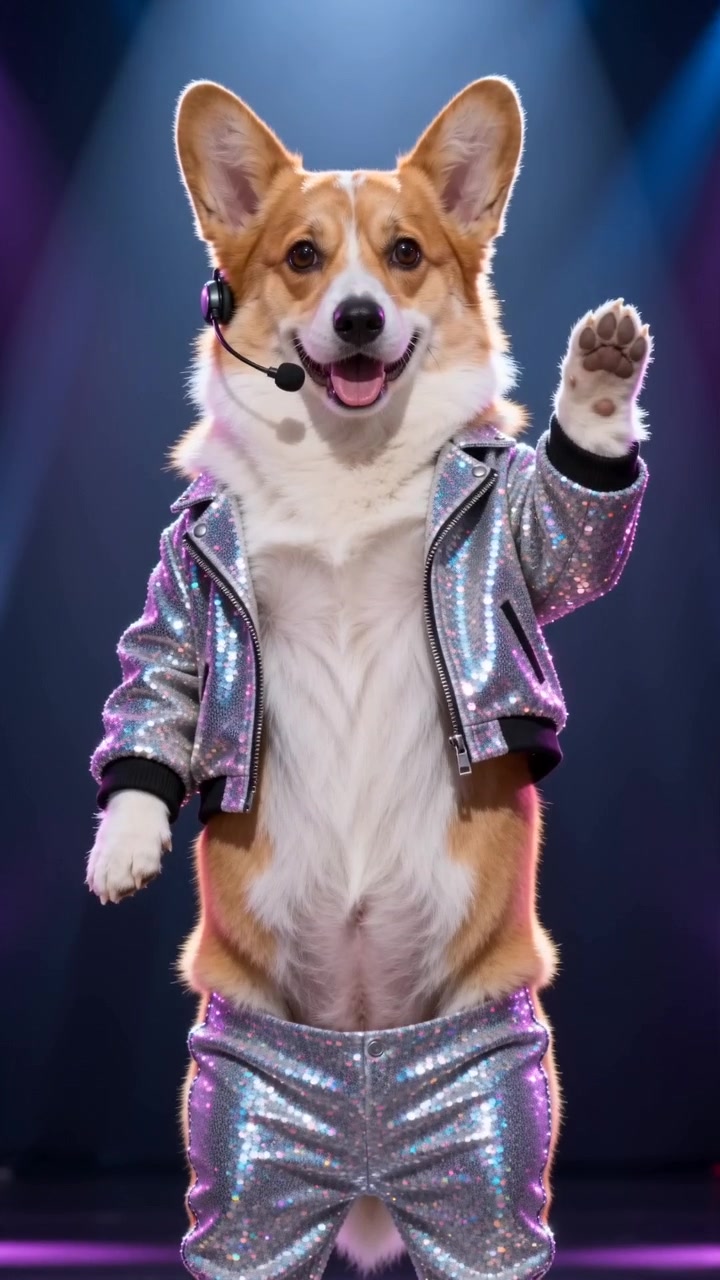
"Dog pet dance video: a K-pop idol debut with a paw-heart wink"
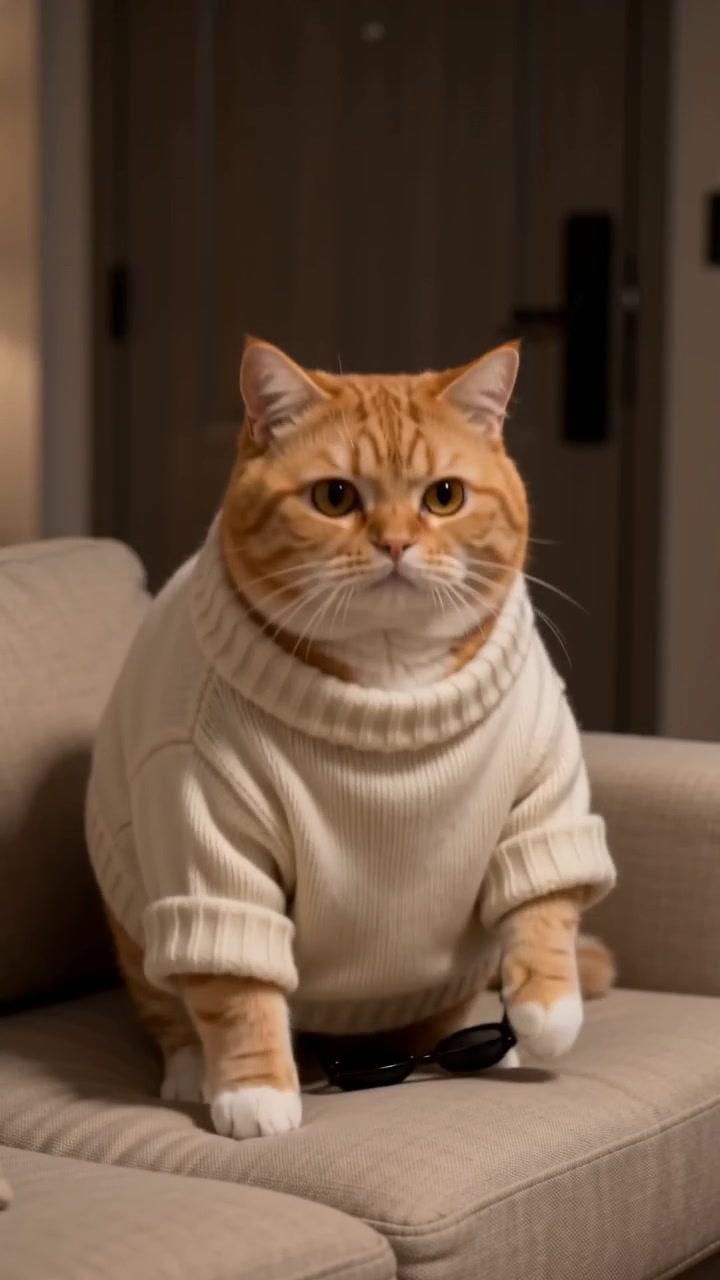
"Cat pet dance video: a secret couch dance in sunglasses"
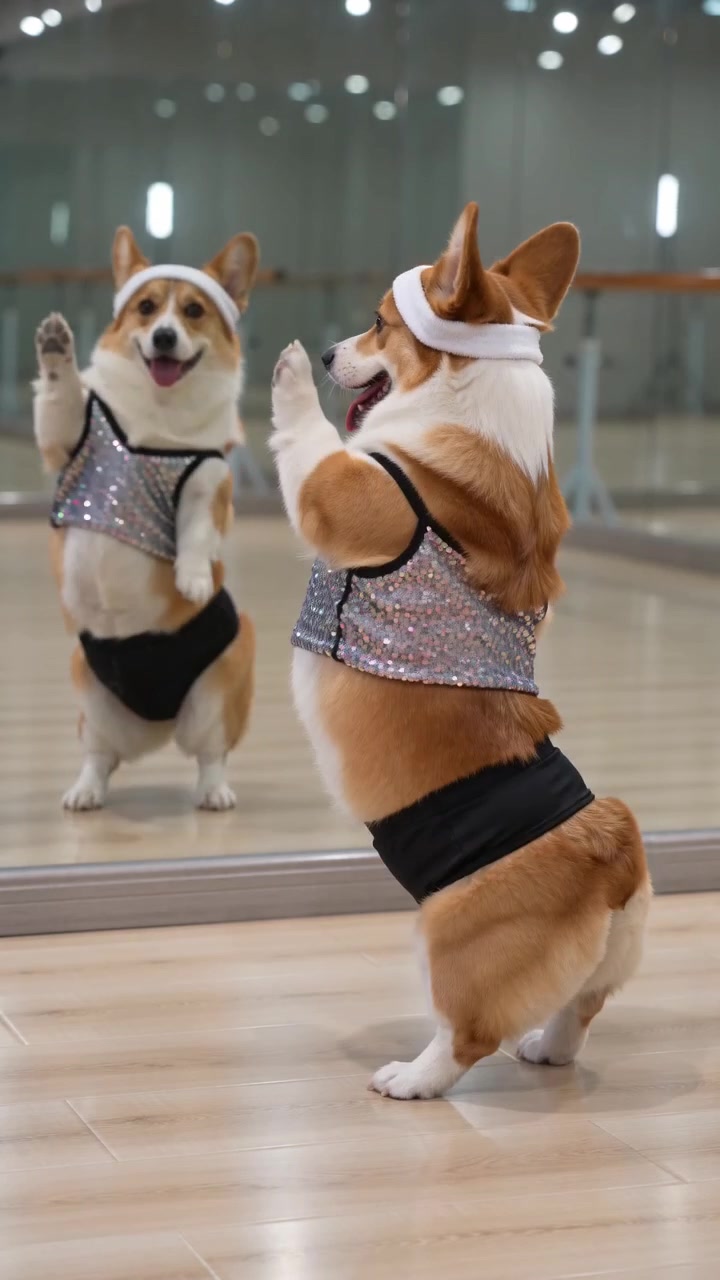
"Dance practice: an over-spin in the mirror and a proud final pose"
Make a pet dance video in 5 steps
- STEP 1
Choose the right photo
Pick one bright, sharp photo where your pet faces the camera. The photo is the only thing the AI knows about your pet, so it decides how the pet dance video looks.
- STEP 2
Open the dance studio
Go to the dog dance or cat dance page and upload the photo. You can browse without an account; you will be asked to sign in when you generate your first pet dance video.
- STEP 3
Pick a dance template
Choose a routine such as K-pop idol, breakdance or the secret couch dance. A template already contains the outfit, the moves and the ending, so you can make a pet dance video without writing a prompt.
- STEP 4
Set length and quality
Start with five seconds at the basic quality setting. It uses the fewest credits and is enough to see whether the pet dance video matches your pet.
- STEP 5
Generate, download and post
Press Generate and wait one to four minutes. Download the 9:16 MP4 and share your pet dance video on TikTok, Reels or Shorts.
Step 1 in detail: the photo makes or breaks a pet dance video
When a pet dance video disappoints, the cause is usually the photo, not the AI. For a pet dance video the model has to turn a still picture into a moving, upright character while keeping your pet recognizable. Give it as much clear information as possible.
- Use daylight or a well-lit room. Dark photos lose coat color and markings.
- Shoot at your pet's eye level so the chest and legs are visible.
- Show the whole head, including both ears.
- Leave people out. Photos with a human face are often rejected before the pet dance video starts.
- Avoid clothes, blankets and heavy filters; the AI adds the costume itself.
- One pet per photo. For two pets, use a duo template and upload one photo of each.
Step 3 in detail: which dance should you pick?
Every routine produces a different kind of pet dance video. If you are not sure where to start, match the template to your pet's personality:
- K-pop idol stage: polished choreography under neon lights. A safe first choice for a cat or dog pet dance video.
- Secret couch dance: your pet dances when nobody is home and plays innocent at the end. Great for a story-style clip.
- Dance practice wipeout: a rehearsal that goes slightly wrong. Works for clumsy, lovable pets.
- Breakdance: fast street moves with a freeze. The default five-second version fits the free sign-up credits.
- Shades swag and belly dance diva: costume routines with more attitude.
Step 4 in detail: length, quality and sound
Length changes the story of a pet dance video. A five-second pet dance video is one move and works as a loop. Ten seconds fits a short routine. Fifteen seconds has room for a setup, a dance and a punchline, and it costs the most credits.
Quality changes sharpness. The basic setting is fine for checking the result. Choose 720P when you plan to post the pet dance video, and 1080P when you want the cleanest fur detail. Sound is generated with the clip and is on by default. You can leave it on and still replace the audio later inside TikTok or Instagram.
The Generate button shows the credit cost before you confirm, so you can compare options without spending anything.
Writing your own prompt instead of using a template
Templates are the fastest way to make a pet dance video, but you can also describe a custom scene in the Image to video mode. Good pet dance video prompts are short and concrete. Say where the pet is, what it wears and what it does, one action at a time. For example: "My cat stands on a small stage in a sequin jacket, taps its paws to a disco beat, spins once and points at the camera."
Avoid asking the AI to change your pet's fur color or body shape. It fights against keeping your pet recognizable and usually makes the pet dance video worse. Add costumes and props instead.
Fixing common pet dance video problems
If your first pet dance video is not right, one of these fixes usually helps:
- The pet does not look like mine: use a brighter, closer, front-facing photo and try again.
- The generation failed: check that no person is in the photo. Failed attempts return your credits.
- The dance is too short: switch from five seconds to ten or fifteen and regenerate the pet dance video.
- I ran out of credits: free credits cover one basic clip. Packs and monthly plans add more.
- I want to change something later: open the video in My Creations, choose Edit, adjust the settings and generate a new version. The original stays saved.
How to post your pet dance video
The finished pet dance video is a vertical 9:16 MP4, which is the native format for TikTok, Instagram Reels and YouTube Shorts. Upload the pet dance video as it is. On TikTok, add a trending sound and a short caption that names the joke, such as "what my dog does when I leave". Posting a new pet dance video with the same pet every few days helps an account build a recognizable character.
Pet dance video FAQ
What is the easiest way to make a pet dance video?
Use a dance template. Upload one photo of your pet, pick a routine and press Generate. The template handles the outfit, moves and ending, so your pet dance video is ready in a few minutes.
Can I make a pet dance video for free?
Yes, you can make one short clip for free. New accounts get sign-up credits that cover a five-second pet dance video at basic quality.
Does it work for both cats and dogs?
Yes. There is a cat dance studio and a dog dance studio, and the same templates work for both. Other pets can be tried too, though results are most reliable with cats and dogs.
How long does it take to generate?
Most clips finish in one to four minutes. You can leave the page; the pet dance video is saved in My Creations when it is done.
Can I make a pet dance video with two pets?
Yes. Duo templates take two photos, one per pet, and put both in the same scene. They use a higher-end model and cost more credits.
Do I need a video of my pet?
No. A single still photo is enough for a pet dance video. The AI creates the motion for the pet dance video from that one picture.
Can I use the video on social media?
Yes. You can download your pet dance video and post it on TikTok, Instagram, YouTube or anywhere else.